Want one?

Want a home base of your own?

I build each one around how its owner really works. Tell me what you do and what’s hard to keep track of, and I’ll tell you honestly whether a home base would help.

Where yours can start

Home Base is the one I use every day, shown with demo data. Display Case and Editorial Grid are two simpler styles, each shown for card sellers, fashion creators and fitness coaches. Choose one in the form, or start from nothing.

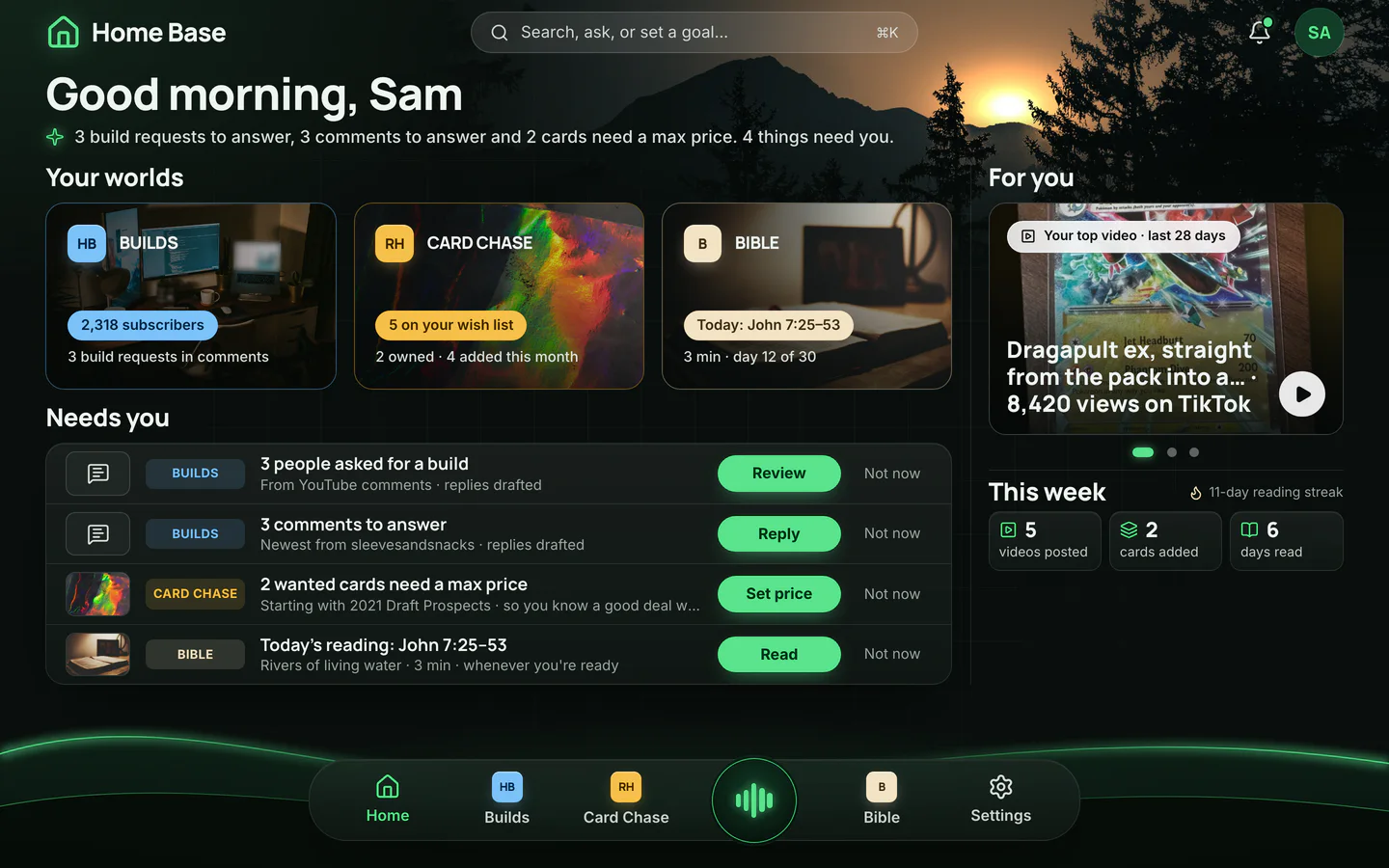
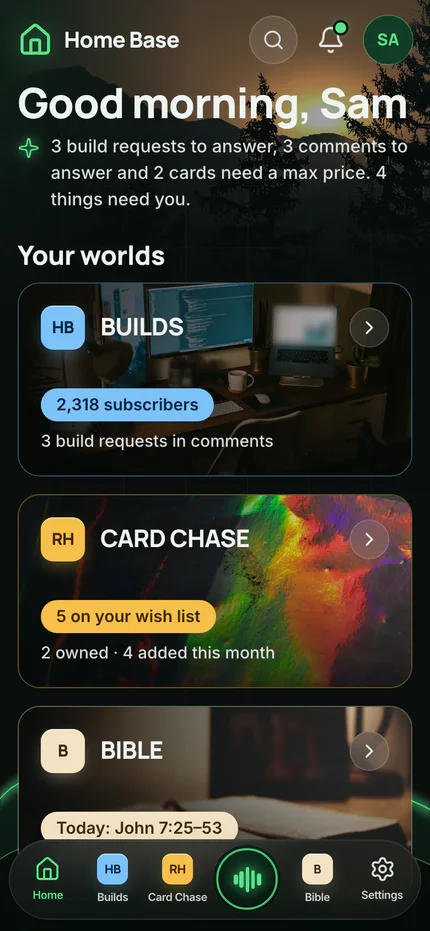
  • Home Base Home screen with demo data: “Good morning, Sam” and a line saying 3 build requests, 3 comments and 2 cards need a max price. Three world tiles: Builds with 2,318 subscribers, Card Chase with 5 cards on the wish list, and Bible with today’s reading, John 7:25–53. Below, a Needs you list of four items with Review, Reply, Set price and Read buttons. On the right, a For you card for the top video and This week: 5 videos posted, 2 cards added, 6 days read.
    My ownHome · Builds · Card Chase · Bible

    Home Base

    One home screen for your day, with a world inside it for each part of your work.

    • Needs you. The few things that matter most today, in order, each with one button to deal with it.
    • Real numbers. YouTube and TikTok numbers and comments come in on their own, read-only, once they’re connected.
    • Replies drafted. Each comment that asks for something gets a reply written for you to tweak and post.

    See it up close

    Real build · demo data Real build with demo data. Sam, Harbor Bend Cards and every number are made up. The Pokémon cards are photos of my own cards.
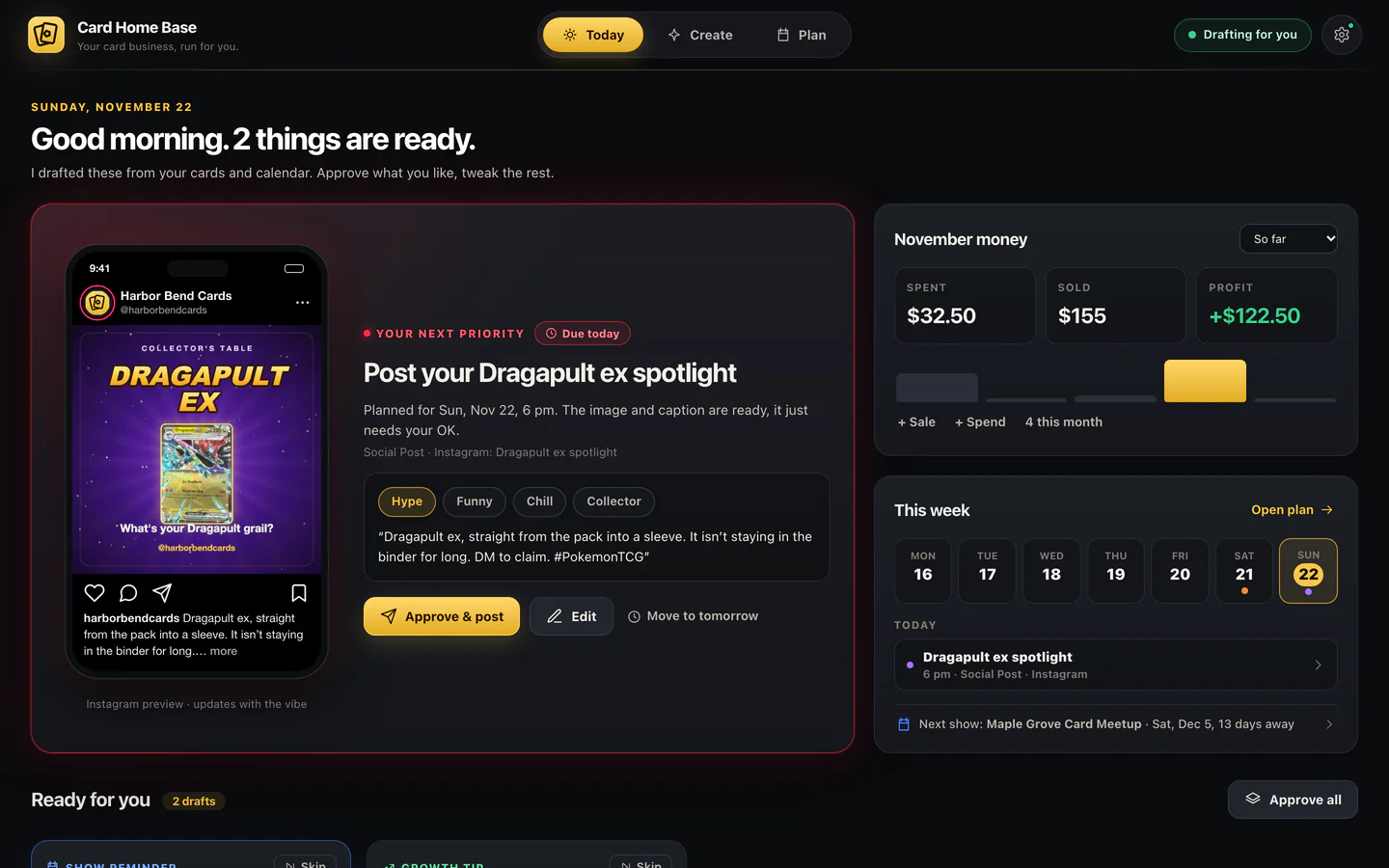
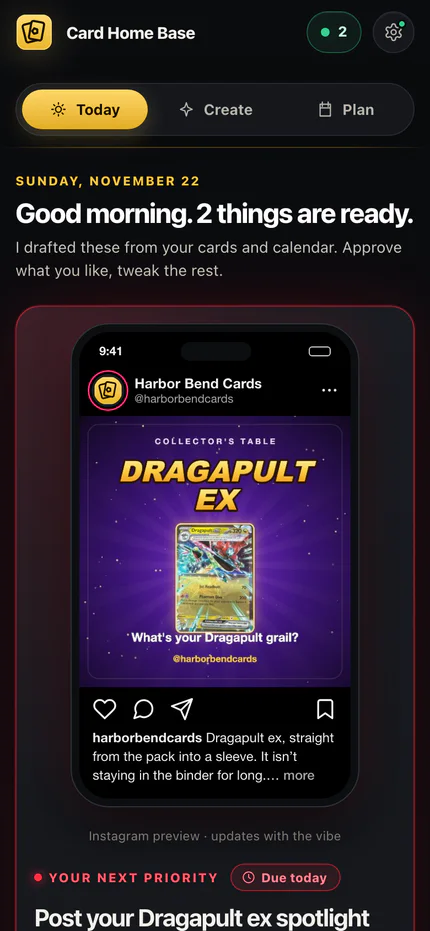
  • Card Home Base, Display Case layout for card sellers, Today page, with demo data: the next priority is a Dragapult ex spotlight post due today at 6 pm, shown as an Instagram post inside a phone with a Hype caption and Approve & post, Edit and Move to tomorrow. Beside it, November money (spent $32.50, sold $155) and this week. The card is a photo of one of my own cards.
    LayoutToday · Create · Plan

    Display Case

    A dark, focused home base for one side hustle, laid out around your day: what to do today, what to make, and what’s coming up.

    Real build · demo data Pictured: card sellers. Real build with demo data. Photos of my own cards, with a made-up shop.

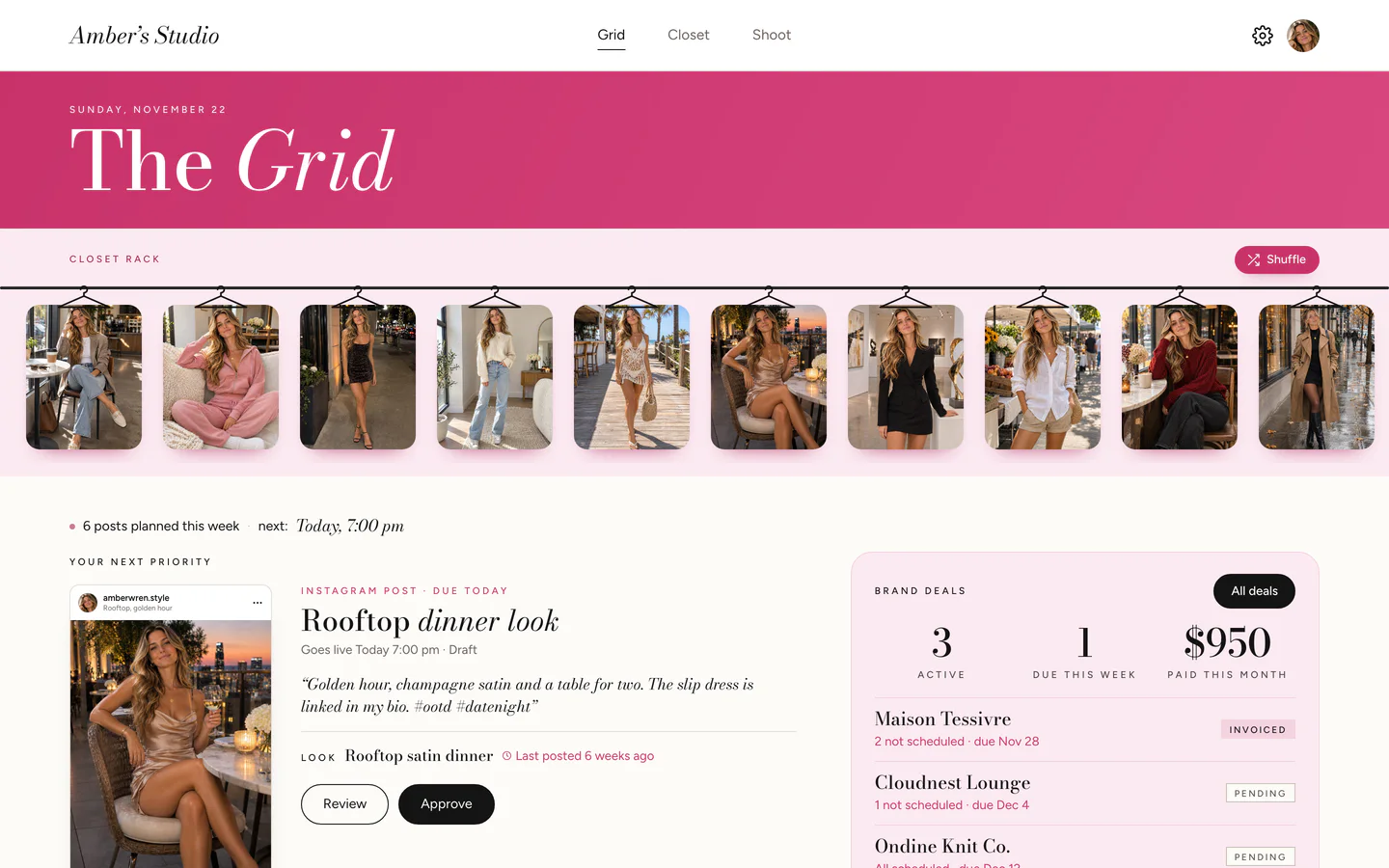
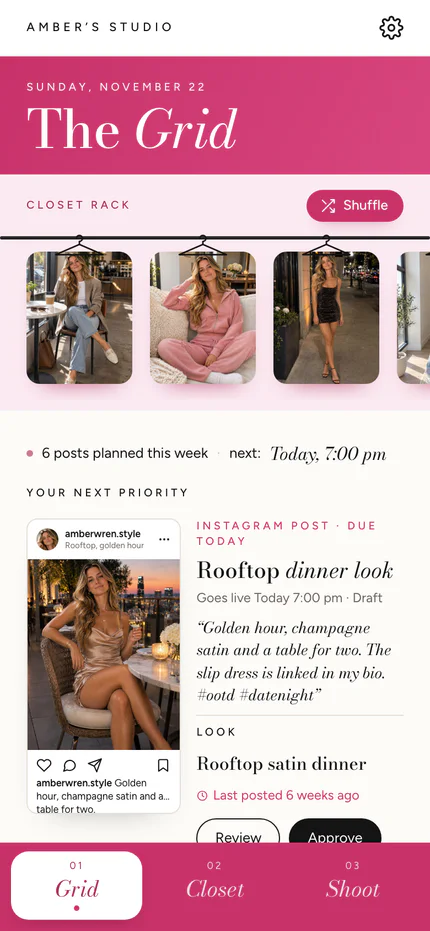
  • Editorial Grid layout for fashion, Grid page, with sample data: outfit photos of an AI-generated model hung on a closet rail, the next priority post (a rooftop dinner look due today at 7 pm, shown as an Instagram post), and a brand deals panel with three made-up brands.
    LayoutGrid · Collection · Shoot

    Editorial Grid

    A bright, magazine-style home base for one side hustle, laid out around your grid: what you post, what you have, and what you shoot.

    Sample screens Pictured: fashion. Sample screens with made-up data. Model images are AI-generated.

What it can include

  • One home screen

    What needs you today, your numbers and what’s coming up, on the first screen you open.

  • Worlds for your work

    Cards and shows, outfits and brand deals, clients and classes. Each part of your work gets its own world.

  • Drafts made for you

    Replies, posts and reminders drafted from your own records, ready for you to approve, tweak, or skip.

  • Your real numbers

    Read from things like YouTube, TikTok and eBay, where the service allows it, so you don’t have to open each one.

  • Look and wording

    Your name, logo, colours, and the words you use, so it feels like yours.

  • A plan that links up

    Shows, posts, prep and payouts on one calendar, with what’s next on your home screen.

Connections to outside services, such as YouTube, TikTok or eBay, are included only when we agree them first and the service allows it. They read your information; they don’t post for you.

How I build one

If you’d like to map your work out before deciding anything, ask for a planning session in the form.

  1. Step 1: Tell me about your work

    Use the form below. Say what you do, what’s hard to keep track of, and which style feels closest. Sending it doesn’t commit you to anything.

  2. Step 2: We agree what it does

    I write down the worlds, the screens and the connections I’d build, what’s not included, and when it would be ready. Nothing is built until you say yes.

  3. Step 3: I build it with you

    I build your home base and go through it with you, then hand it over with the demo data removed and a walkthrough of how to use it and back it up.

A few words is enough

Only your name, email and a few words about your work are needed. Everything else is optional.

If you came from one of the example pages, that style is already chosen. You can change it.

Prefer to read more first? See how it works or common questions.

Tell me about your work

Required field

What you do, and what’s hard to keep track of today. A few sentences is plenty.

The areas you’d want inside your home base, if you already know.

Home Base is the one I use. Display Case and Editorial Grid are two other styles.

Separate from your enquiry. Leave unticked and you will only hear back about this message.

Sending this doesn’t commit you to anything. Please don’t include passwords or sensitive account information.